Your first local model
Go from a computer and a use case to a small, working local conversation.
Start with one useful task
Choose a concrete task: rewrite a paragraph, explain a short function, or summarize a page. Your first milestone is a correct answer on your own machine, not running the largest model that barely loads.
Local inference means the model runs on your computer. Downloading its files normally needs a network connection; a local application can still contact external services, so check its settings before using private documents.
- Write down your operating system, GPU model, available VRAM, system RAM, and free disk space.
- Choose an instruction-tuned text model supported by your runtime. A base model is not automatically a chat assistant.
- Begin with a short context and one conversation. Add longer prompts and parallel users only after the first run works.
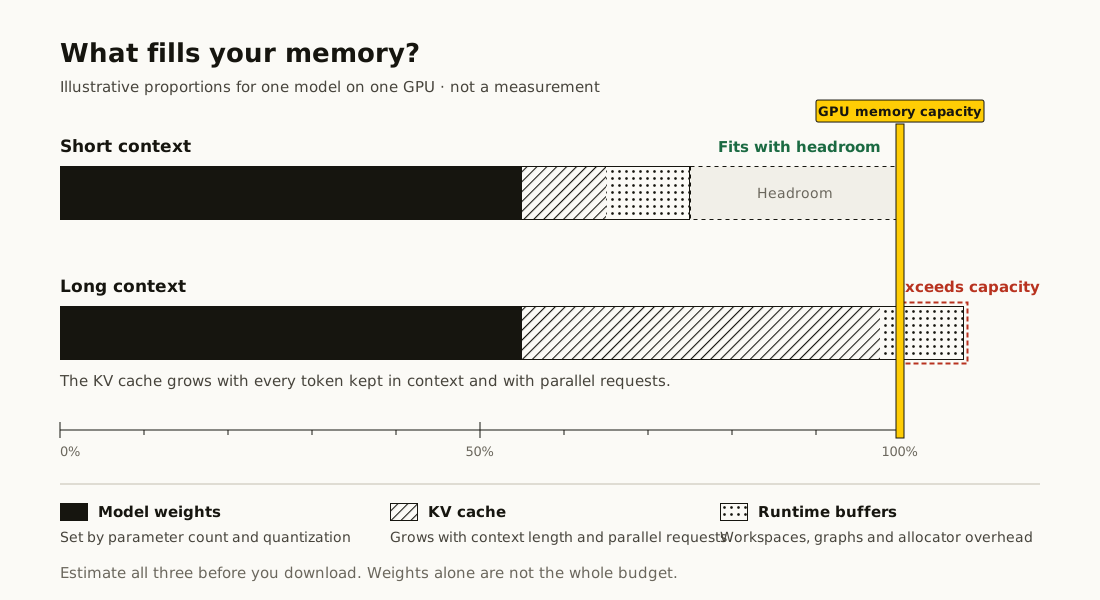
Check the whole memory budget
Search for the exact repository in the model explorer. Select your available memory, intended context, and a compatible quantization. Prefer a published artifact size when one is available.
Weights are only part of the budget. Conversation state and runtime workspaces need room too. A lower-bound result is not a promise that the model will fit; it means some runtime-dependent memory is not safely modeled.
Pick a runtime, then verify
For Apple silicon, MLX LM is a native option. llama.cpp offers broad local hardware support with GGUF files. vLLM is an option for managed API serving and concurrent workloads. A desktop interface built around a compatible runtime may be easier if you do not want a terminal.
Use the matching guide here, follow its official installation link, and test one short prompt. Confirm the runtime actually uses the intended accelerator. Save the model revision, artifact, and working settings before changing anything.